If you think it’s easy to learn how to start a blog to make money, you should do more research on the topic.
Sure, thousands of content creators have managed to become successful bloggers. But that’s not the journey every newbie blogger will get to experience:
According to statistics, 80% of blogs fail within a year of launching. That’s a scary number – it makes you doubt whether you should get into the blogging game.
And that’s a healthy reaction:
While anyone can technically start a blog in minutes, making money blogging to the point where you can quit your current job is an entirely different situation.
The silver lining is that building a website that will eventually earn you enough money to be financially independent is not impossible. Today, I’ll show you how to achieve that.
This post may contain affiliate links – read my affiliate disclosure.
How To Start A Blog To Make Money Online
What Is A Blog?
Before we get to the guide to starting a money-making blog, I want to clarify a few terms for the absolute beginners.
It might be hard to believe, but many people don’t know the difference between a blog and a website.
Have a look at what that difference is:
Websites are static: Their content doesn’t need regular updates.
Blogs are not static: While every blog is a website, its content needs constant updates.
Long story short, all blogs can be websites, but not all sites can be blogs.
How Do I Start A Blog With No Money: Can I Start A Blog For Free And Make Money?

First, you can start a blog for free: the question is whether that’s a good idea. Today, many free blogging platforms let you launch a site.
For example, Wix, Weebly, Blogger, Ghost, and WordPress.com will let you start a free blog. However, their monetization options are limited (to say the least).
In other words, building a site on a free platform is fine if you don’t intend to earn money.
I’m pretty sure that’s not what you want since you’re reading a post that will help you learn how to start a blog to make money. Let’s move on then, shall we?
Should I Start A Blog?
Top Benefits Of Starting A Blog:
- Turning a New Blog Into a Successful Online Business Is a Challenge: Launching a blog when you don’t know the first thing about it is intimidating.
- You’ll Step Out of Your Comfort Zone: Starting something new, such as a whole business, will help your personal growth.
- Developing New Skills Is Inevitable: There is a lot to learn when you become a blogger, so you’ll gain a set of brand-new skills.
- Having A Blog Will Advance Your Existing Business: If you have a physical business, getting it online will boost its performance to the next level.
- Being A Blog Owner Will Bring You A New Source of Income: Owning a money-making blog will let you earn cash while you sleep.
Can I Start A Blog Without Any Technical Experience?
A common reason many people don’t bother to learn how to start a blog to make money is a lack of technical experience.
If you have no technical or coding background, that shouldn’t stop you from launching a website.
These days, starting a blog is much easier.
Plus, I’ll put a lot of time and effort into making this guide as beginner-friendly as possible. Following it will allow you to start your own blog without breaking a sweat.
Is It Possible To Make Money From A Blog Today?
Generally, turning a blog into a profitable online business is possible today.
Assuming that you pay enough attention to the outside world, you know how enormous the shift from a traditional job to an online one is.
But if you’re not willing to jump into blogging with both feet, you can still make money blogging while holding your nine-to-five occupation.
Even part-time bloggers can make a decent income from their sites:
I started this blog while still working a full-time job, and it delivered profits long before I quit my job.
After all, you can monetize a blog in so many ways – I’ll get to them later in this article.
How Much Does It Cost To Start A Blog?
Starting a professional or personal blog costs between $35 and $70.
Blogging Expenses You May Choose To Have:
- Premium Website Theme
- Lead Generation Software
- Email Marketing Software (ConvertKit)
- Keyword Research Tool
- Blog hosting provider (the price varies, depending on your choice of company and a paid plan)
Of course, these are examples of software, themes, and plugins – you might pick different ones depending on your blog’s needs. New bloggers must pay for a domain name and web hosting service, too:
I recommend SiteGround as a blog host; the company offers affordable plans and top-notch customer service.
How To Start A Blog To Make Money: Step-By-Step Guide For Beginners
Let me cover the steps you’ll need to take to build a money-making website. Without further ado, here is everything you’ll have to do to develop a profitable blog:
1) Brainstorm Ideas: What Should You Blog About?

Heads up – this is one of the most essential steps in this free online resource:
This is your business, and its entire future is being shaped right now. So, how do you decide what your blog will be about?
Process Different Ideas
Do you want to know how to start a blog to make money? I’m sure you do; otherwise, you wouldn’t be reading each written word in this beginner’s guide!
By all means, stop looking for something that doesn’t exist. Trying hard to find an idea no one else has thought of will only waste a long time.
No idea will be revolutionary today. Your voice, personality, and experience will differentiate your blog from the rest.
Narrow Down Your Ideas To One Specific Topic
Chances are, you have many talents.
You may have plenty of different hobbies and topics that interest you, but you can’t write about all of them.
Blogging is hard work, and a big part of that is writing exclusive content.
When trying to narrow down potential blog topics to one, take the first step and ask yourself:
- Can I see myself writing about this one idea for years to come?
- Do I have enough passion for it?
- Is my topic big enough to explore its different aspects beyond the early days?
During brainstorming, one topic must prevail over the others.
Keep in mind that this first step is all about exploring your mind. Once you finish exploring, you’ll be ready to move on to the next step:
2) Pick A Blog Niche: What Should Be Your Main Blog Topic?

When content creators cover how to start a blog to make money, choosing a niche is usually the first step. Well, it’s the second on my list:
At this point, you should have a clear vision of the type of blog you want to create. But how do you decide?
Your Blog’s Niche Should Not Be Too Broad
Now, how broad is too broad?
OK, let’s say that cooking is your thing – you could spend the whole day preparing a meal, and you know you’ll enjoy writing about it long term.
Unfortunately, cooking is way too broad for a blog topic. Here is the thing:
Content creators who make 4,5, and even 6-figure income are successful bloggers because they know their target audience.
In other words, their blogs help a specific group of people solve their problems.
No matter how hard you try, you can’t help everybody.
So, the blog content you plan to create must solve specific problems for one audience, not the whole web audience.
Top Tips And Ideas To Help You Find Your Blog Niche
How about we use the example above and find a niche where your cooking skills will make you money?
As you already know, food is way too broad a topic:
I can’t cook to save my life. Still, if I am starting a food blog, I would think long and hard about:
- Do I write about international cuisine or just recipes for American people?
- Will my blog offer advice for vegetarian people?
- Should I cover only my favorite main courses or include starters and desserts?
- Who are the blog readers my content will target? Are they wannabe chefs, busy moms, or budget-minded people looking for the easiest way to make a delicious meal?
Answering these questions will help you see your niche more clearly before the end of the day.
What Types Of Blogs Make The Most Money?
Quite frankly, all blogs can bring a full-time income: there is an audience for every topic imaginable. However, some niches are more profitable than others.
These are some of the most lucrative blogging niches nowadays:
- Food Blogs: Affiliate marketing and joining ad networks to display ads are the best ways to earn from a food blog.
- Make Money Online: MMO is a tough niche to break into, especially if you have no experience.
- Personal Finance: If you’re good with saving and managing your cash, I would say go for it. There are plenty of angles to work from, such as budgeting or frugal living.
- Weight Loss: Losing weight is one of the most competitive niches.
- Beauty/Fashion: The beauty niche requires a deep connection to the audience.
- Parenting: Overall, parenting is a very profitable niche. A parenting blog provides many monetization options.
- A travel blog
3) Set Up Your Self-Hosted WordPress Blog

Generally, setting up your blog is about laying a strong foundation for your business.
Make sure you don’t skip any of the following steps if you want to set up your website the right way:
Choose A Blog Name
In my opinion, you don’t have to overcomplicate that decision. Picking a name for your blog is not simple, but I’m sure you can do it without wasting a lot of time.
Your blog name (domain name, not a web address) will be the first thing readers see when they land on your site. So, it has to represent the nature of your business.
Generally, there is no universal formula to come up with the perfect blog name. Be that as it may, make sure that your blog name is:
- Short: (no more than two, maximum three words)
- Easy to spell: (you don’t want any confusion among your site visitors)
- Memorable: (you’re building a brand, so give it your best shot)
- Ending in .com: (if possible)
Important Info:
Don’t choose a blog name similar to other already existing sites. Also, don’t buy the domain name yet – we’ll do that later.
Pick A Blogging Platform
A blogging platform is a service (software) that lets you publish content online. There are two types of blogging platforms: free and paid.
Since this guide aims to teach you how to start a blog to make money, you can forget about using a free blogging platform:
As you already know, you can’t monetize your WordPress site on a free blogging platform. So, go for WordPress.org, and you’ll have a self-hosted WordPress blog.
Get A Web Hosting Service
Hosting is a service that lets your blog go live online and stores all your data. No one can access your business (or personal blog) if that site has no web hosting provider.
With that said, my top pick for a hosting service is SiteGround. Millions of bloggers trust SiteGround with their web hosting needs, and the company manages to deliver.
SiteGround offers affordable hosting plans, stellar tech support, and outstanding customer service. It gives you a free domain name (for the first year) and a free professional email address. Learn more about the best web hosting services when you have a second.
Choose A Hosting Plan
Considering you’re just starting your blog, I suggest SiteGround’s basic plan. This plan will give you everything you need to build your website.
In addition, the SiteGround StartUp Hosting Plan is the most affordable, so you won’t have to spend a fortune on hosting to launch your blog.
Install WordPress
WordPress is the blogging software that each site needs to function. Maybe you’re considering a different blogging software?
Don’t – WordPress is the best you can get – it powers over 500 million sites.
Most bloggers prefer WordPress because it’s beginner-friendly (it comes with a one-click installation).
Log In to Your WordPress Dashboard
Quite frankly, logging into your WordPress dashboard for the first time is intimidating! The good news is that working with WordPress will get easier before you know it.
Once you’re inside your WordPress Dashboard, take a look around to get familiar with its features:
- Pages: (you’ll click on this tab each time you need to create blog pages, such as an About, Contact, Privacy Policy, or Affiliate Disclosure page).
- Posts: (this is where you’ll go to create blog posts).
- Media: (the library will collect all images you’ll upload to add to your useful content).
- Comments: (a comments tab allows you to moderate, respond, and sometimes delete the comments readers leave on your site).
- Appearance: (it’s where you’ll moderate the entire look of your blog by using themes, widgets, menus, etc.).
- Plugins: (think of them as add-ons that will bring extra benefits to your blog).
- Users: (the best place to manage the users on your site).
- Tools: (use this tab if you need an easy way to import/export data).
- Settings: (this is the most essential tab when you’re starting, and you want to get it right from the get-go).
About The WordPress Settings
Let’s discuss the “Settings” tab and what you need to set up there.
I wouldn’t bother with some of the settings. Instead, you should focus on General and Permalinks.
General Setting:
- Site Title: (this is where the name of your blog goes)
- Tagline: (write down a couple of words that best describe what your blog is about to the readers. If you can’t think of anything now, you can always come back to it later)
- WordPress Address (URL): (this will be your domain name)
- Email Address: (the email that will be associated with your website. It’s best to set up a business email address – BigScoots will help you do that)
You can leave the rest of the general settings as they currently are.
Permalinks Settings:
A permalink is a URL that should remain unchanged in the future. The best way to understand a permalink would be to see it as the web address of each of your articles.
Why you don’t want to change the permalinks:
If you change a permalink without setting up a redirect, all the outside links pointing to that post or page will arrive at a URL that doesn’t exist anymore.
How do you set up your permalinks?
First, you should set up the permalink settings before you publish your first post.
From an SEO perspective, it’s best to go with Post Name – it will help you reach better rankings on search engines since your post’s title will appear in each URL.
4) Work On Your Blog’s Design

Get ready to unleash the designer inside of you – we’re at the point where you’ll pick a website theme for your blog. No worries: you don’t need a graphic design degree to do that!
What is a blog theme?
A website theme is a WordPress design that defines how your blog looks. It lets you choose the layout, fonts, colors, and widgets.
Getting a free website theme is a good thing when you’re just starting your blog.
As your blog evolves and your business needs change, you’ll likely get a premium theme.
The paid themes will provide you with much more than any free theme can. But you don’t have to think about this right now.
Choose A Free Blog Theme To Install
Log in to your dashboard, click on Appearance, and then Themes.
You’ll see a few free WordPress themes already in there. Feel free to browse and look into the other available free options.
A gorgeous blog design should not be the most crucial factor when choosing a theme. Instead, it’s better to pick a theme that will provide you with the most functionality.
Above all, you want a fast, mobile-friendly, and easy-to-navigate theme. Here are a few things to consider while selecting a website theme:
- Responsiveness: People will land on your website from different devices. That’s why you want a theme that will work on desktop, tablet, and mobile. Especially on mobile!
- Clean Interface: Your theme must ensure a great user experience. Pick a theme that will allow your readers to absorb the content effortlessly. You don’t need fancy fonts that look good but are difficult to read.
- Support: It doesn’t matter that you’ll be working with a free theme – you’ll need someone to contact in case particular things break.
My top picks for free website themes are Astra and Kadence.
Both themes have a clean and responsive design. More importantly, they are fast and won’t slow down your site.
Premium Website Themes To Consider
Considering this article covers how to start a blog to make money, I have to discuss the logic behind investing in a premium website theme.
As mentioned, a paid WordPress theme provides more features and functionality than any free theme.
With that said, if you can afford a premium site theme from the start, you should look into two options:
- Elegant Themes: Elegant Themes don’t need an introduction since they’re popular and beloved by thousands of bloggers. Their Divi theme is famous on its own and deserves an honorable mention.
- Thrive Themes: Thrive Themes are the top pick for bloggers who care the most about higher conversion rates (converting readers into subscribers and customers).
5) Customize Your Blog
Customization is not about looks, so let’s get on with it.
While there are countless things you can do to customize your blog, we’ll stick to the basics:
- Header/Footer: (use these sections to upload your logo, main images, and even slides)
- Menus: (some free themes will allow you to have more than one menu, and here is where you’ll structure them)
- Widgets: (think of them as helpful add-ons that will let you do a bit more with your blog. Most people use them mainly to customize the sidebar)
- Additional CSS: (don’t touch this one unless you’re familiar with coding)
Of course, there are many other options to customize the look and structure of your WordPress site. However, you don’t need me to walk you through picking brand colors, do you?
6) Set Up Your Important Pages

Let’s continue creating your blog by setting up your important pages.
What is a blog page?
A blog page is a static page that will remain on your site’s menu constantly.
Depending on the type of business you’re building, you may need different pages.
But every blog needs to have at least these two pages – an About page and a Contact page. Click on Pages, then Add New, and start creating.
How To Write An About Page For Your Blog
First and foremost, an About blog page is not about you – at least, it shouldn’t be.
An About page has to tell your readers how you plan to solve their problems and why you’re the person for the job.
Tips to help you write your About Page:
- Know who your audience is: (when a visitor clicks on this page, that reader has to feel like they’re in the right place)
- Share your story: (don’t hesitate to write why you decided to start your blog and what your journey has been like so far. The more people can relate to you, the better)
- Show them who you are: (when you’re trying to teach something, your readers have to be sure that you know what you’re talking about. Prove your expertise and experience with your blog’s topic)
- Add a call to action: (What would you like your readers to do before they exit your About page? Whatever action you want them to take, make it easy for your visitors to do it)
How To Create Your Contact Page
Every legitimate business lets potential customers reach the person in charge. Blogs without a contact page don’t seem trustworthy enough.
Generally, you don’t need help creating a contact page – a simple contact form or a few sentences will do the job. For example, you can ask your reader to leave a name, email address, and question for you.
And the best part is you can finish the page by letting the readers know you’ll reach them as soon as possible.
7) Make Your Blog Legal

Since you’re here to learn how to start a blog to make money, monetizing your site must be your primary goal as a business owner. Here is the deal, though:
When earning an income, you’ll collect information about your readers through settings (usually cookies).
You need to let visitors know what information you’re receiving.
Also, they should be aware that you may earn a commission if they purchase something through your affiliate links.
Every blog needs a Privacy Policy, Affiliate Disclosure, and Terms and Conditions page. Some sites have these three pages collected in one piece of content, and some don’t.
Important Info:
I highly recommend talking to a lawyer and letting a professional help you with your legal blog pages.
How To Create Your Legal Blog Pages
- Privacy Policy: In short, the Privacy Policy is a page that lets your readers know how you collect, use, and manage their data. Such a page has to exist to protect the privacy of your blog visitors. WordPress provides a link you can click on to see everything you need to add to your PP page.
- Affiliate Disclosure: That legal blog page informs readers that you may earn a commission if they purchase a product or service through your affiliate links. Perform a quick Google search for affiliate disclaimer templates online, and there is a good chance to find some you can use for free.
- Terms and Conditions: Think of the Terms and Conditions page as a guide that tells your readers how they can use your site. Having such a blog page is necessary for a good reason (to protect your content from intellectual property theft).
8) Write Your First Blog Post
The tech work and preparation for your blog are officially over! Now, it’s time to write your first piece of content.
Your readers won’t come to your blog because it looks stunning. No, they’ll spend time on your blog pages because they care about what you have to share with them.
So, creating high-quality and valuable content is a great way to keep your visitors returning for more. Naturally, providing helpful new content will allow you to start making money from your blog.
Let me show you the steps you should take to create your first blog article:
Brainstorm Blog Post Ideas
Here are three strategies you can use to find the perfect blog post idea:
- Spy On Your Competitors: Find out who the most successful blogs in your niche are. Once you do that, see which of their posts rank high on Google and have plenty of shares on Social Media. Use these articles as an inspiration and guideline – don’t copy them!
- Do Research On Platforms Like Reddit And Quora: Both Reddit and Quora can reveal what topics you can use.
- Visit Buzzsumo: Buzzsumo is a tool that will show you the topics that get the most shares on Social Media. Take advantage of the info to select an article subject your readers would love to share on their Social Media accounts.
Choose A Keyword To Target
Doing in-depth keyword research must become essential in your blogging routine.
Above all, you can’t start writing an article until you decide what keyword you want that article to rank for in the search results online. Selecting the best keyword possible is an art on its own.
As a professional blogger, you need to learn how to pick a keyword to target. There is a lot you need to know about that.
Since the talk today is all about how to start a blog to make money, I won’t spend hours explaining the keyword research process.
But you can read all about it in this related content:
Create Your First Blog Post
Finally, it’s time for you to start creating content!
Assuming you have an article topic to write about and a specific keyword to target, you can begin the writing process.
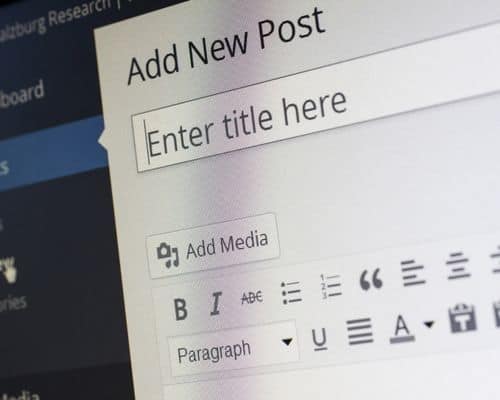
Log into your WordPress dashboard, click on posts, and then Add New.
Now, what do you need to keep in mind while creating your first blog post?
Search Engine Optimization (SEO):
- Place your main keyword in the title, meta description, and the first paragraph of your article
- Use related, long-tail keywords as your subheadings
- Install the Yoast SEO plugin to give you pointers and suggestions
- Don’t do keyword stuffing – Google might penalize you for that
- Add relevant images – use your keyword in the alt tags where it makes sense
- Make your URL short and SEO-friendly
Readability:
- Structure your blog post well (use images and subheadings to break the text)
- Avoid large blocks of text (these are hard on the eyes, and no one appreciates them)
- Bullet points are a must (they will make your article even easier to read)
- Click-worthy headline (mastering this will take some time, but do your best to evoke curiosity)
- Write conversationally (your readers want to read your article and not Wikipedia)
9) Promote Your Blog To Attract A Large Audience

The question of how to start a blog to make money doesn’t have just one answer – it prompts a response with many aspects.
However, the most important of all these aspects is the scale of your readership (monthly page views). It’s simple when you think about it:
By all means, the more people your site attracts as readers, the better chances you’ll have to monetize your blogging side hustle through different revenue streams.
In other words, if you want to make money blogging, you’ll need to heavily promote your site so it will reach as many people as possible.
Different Ways To Promote Your Blog
- Build Brand Presence On Social Media: Pinterest, Instagram, Twitter, Facebook, and TikTok are large social networks you can join to establish a blog presence, find a new audience, and get organic traffic.
- Start A YouTube Channel: Uploading high-quality YouTube videos is another way to attract an audience (you can monetize these videos through Google AdSense).
- Guest Blog On Sites Like Medium And LinkedIn: Creating guest posts on these platforms is a good way to introduce yourself and your site to the blogging community.
- Do Email Marketing To Enhance Your Promotional Effort: Building an email list is the fastest way to secure higher engagement with your content.
10) Make Money From Your Blog

These days, there are many ways to make money blogging. Let’s take a look at your options once you’re ready to monetize your site:
- Sell Services: Offering your blogging expertise as a new product or service is a common way to earn money as a blogger. You can create samples that showcase your abilities in writing, marketing, web design, Social Media management, etc.
- Do Affiliate Marketing: Affiliate marketing is a business model where people can promote digital or physical products for commissions. Bloggers should find reliable affiliate partners and join high-paying affiliate programs to earn money passively. Product reviews are excellent content types for monetizing a site while promoting affiliate products.
- Accept Sponsored Posts: Sponsored content will work best once you have a large enough audience.
- Sell Your Own Products: Creating and selling digital products like online courses or eBooks is an excellent way to develop passive income streams.
- Work With Ad Networks: Networks like AdThrive and Mediavine will let you earn from ad placement once.
- Sell Advertising Space: Selling ad space is an alternative way to make money as a blogger.
What’s The Best Way To Monetize A Brand New Blog?
Some monetization options won’t work when you own a new blog.
For example, If you want to make money from ads, you must wait until your traffic grows. Companies like Mediavine won’t work with you until you reach 50,000 monthly visitors.
The sponsored content is not a good fit either – you need to reach huge numbers first, especially on Social Media.
With that said, you should begin monetizing your blog through affiliate marketing and offering services.
Overall, these are the best ways for a beginner blogger to earn an income from a blog. Once you gain more experience and establish your website as an authority online, you can expand your monetization options further.
How To Start A Blog To Make Money FAQs
What Type Of Blog Is Best To Earn Money?
Types Of Blogs That Make The Most Money:
- Food/Beverage
- Fashion
- Weight Loss
- Travel
- Lifestyle
- Parenting
- Sports
- Gaming
How Do Bloggers Get Paid?
Most Common Ways To Make Money Blogging:
- Affiliate Marketing
- Sponsored Posts
- Offering Sevices
- Creating And Selling An Online Course/Training
- Selling Digital/Physical Products
- Ad Placement
What Blogs Are In High Demand?
The Most Profitable Blog Niches Currently Are:
- Make Money Online
- Blogging
- Digital Marketing
- Personal Finance
- Finance And Investing
- Health/Fitness/Self-Care
- Recipes/Food
Is Starting A Blog Worth It?
Starting a blog is still worth it.
However, you’ll need to adjust your expectations and get into the right mindset if you want to become a successful blogger:
Turning a brand-new blog into a profitable online business will take a long time, hard work, and a willingness to test different strategies.
My Closing
Coming this far, I feel confident you already know how to start a blog to make money.
Remember, turning a blog into a lucrative business will likely take years. After all, blogging is a marathon, not a sprint.
So, stay persistent, work hard, and you’ll see the money coming in. Now, what’s your take on today’s topic?
Do you have any questions about this subject? Let me know in the comments section, and I’ll give you the answers.
Related Content You Might Find Helpful:
Starting a blog won’t be so difficult after reading your article. Thank you!
I am glad that I was able to help:
Launching a blog for the first time can be an intimidating experience. Knowing the steps that will take you through the process will make it easier.